Bucket Listers
Bucket Listers helps people discover and book the best things to do in their city, from pop-ups and festivals to one-of-a-kind experiences, across more than 20 U.S. cities.
- Role
- Lead Product Designer / Consultant
- Product
- Web, Mobile Web & App, Event Discovery
- Location
- Boston, MA (Remote)
The Story
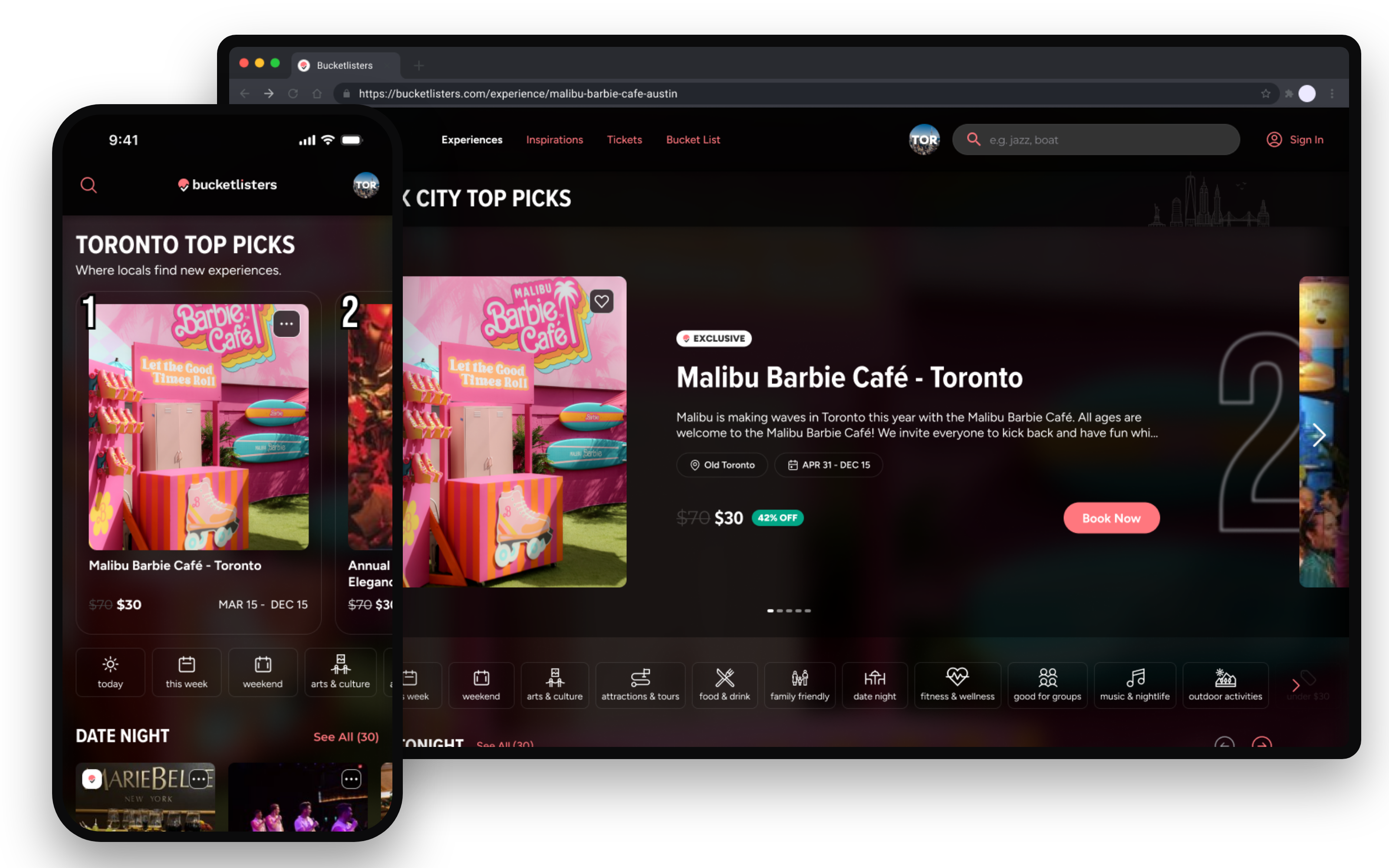
I led the design refresh of Bucket Listers across the web, mobile web and app, shaping how people discover things to do in their city, plan with friends and book tickets.
I reported to the CTO and worked with a team of about 10: three frontend engineers, four backend engineers, and operations. I owned the visual direction of the redesign and the decision to move date, time and ticket selection onto the experience page.
Role
Lead Product Designer / Consultant
Team
Reported to the CTO; 3 frontend and 4 backend engineers, plus operations
Platforms
Web, Mobile Web, iOS App
Launched
May 2025
Description
Bucket Listers is an event discovery and booking platform that curates the best things to do in more than 20 U.S. cities, from pop-ups and festivals to one-of-a-kind experiences.
About Bucket Listers
Founded in 2018 in New York, Bucket Listers grew from a social-first city guide into a place to discover and book live experiences. It reaches a community of more than 21 million social followers and has sold over 3 million tickets. Alongside ticketing for event producers, the company creates its own experiences with partners like Mattel and Disney.
The refresh, launched in May 2025, moved the product to a darker, image-led look that lets event photography carry the experience, built on one shared component library for web and mobile.
The problem
The brief. Bucket Listers' CEO asked for a redesign of the product's look and feel. He saw the original as immature and confusing, and wanted Bucket Listers to feel as exclusive and premium as the experiences it sells. I was brought in to lead that redesign across web, mobile web and the app.
What we found. A facelift wouldn't fix what was costing the most. When we looked at the 2024 funnel, the biggest leak was a login wall. People had to sign in before they could see dates, times or tickets, so they were asked to commit before they knew whether anything worked for them.
Unique users in 2024 on the experience page, the sign-in screen and the begin_checkout event.
| Step | 2024 |
|---|---|
| Viewed an experience | 195000 |
| Hit the login wall | 160000 |
| Started checkout | 103000 |
Of the 195k people who viewed an experience, 18% left as soon as they hit the sign-in screen. Of the 160k who saw it, only 103k went on to start checkout. That is a 36% drop-off at sign-in, roughly 57,000 people lost at one step.
The bet. If people could find a date and time that fit their schedule and pick their tickets first, they'd be far more willing to sign in to finish the purchase. So the redesign had two jobs: make the brand feel premium, and move the choice ahead of the login wall.
The decision. I first proposed guest checkout, which would have removed the login wall entirely. But the checkout state machine assumed a signed-in user at every step, and rebuilding it was too large an undertaking for our seven engineers. Moving the choice ahead of sign-in kept checkout as it was and changed only what came before it, so we could ship it with the team we had.
Tickets on the experience page
The biggest initiative was moving date, time and ticket selection onto the experience page. Before, people tapped Book Now first and then worked through a full-screen picker to see what was available. Now they check availability right on the page, next to everything that helps them decide.
How the picker evolved
The date, time and ticket picker went through three versions after the original. Each one made it easier to find the event, time and tickets people wanted, and the last one made sure they could see what they had chosen. Pick a version to see it.
Each picker is drawn to scale, so its height shows how far people had to scroll.

Every event, time and ticket in one long list
Book Now opened a separate page that listed every event in the experience, every timeslot and every ticket type, one after another. To find the one event and time they wanted, people scrolled past all the others, and the same ticket types repeated under every time.
- Lived on its own page, away from the details that help people decide
- Each timeslot repeated the full list of ticket types
- No way to focus on one event when an experience had several
- Events listed at once
- 3
- Ticket rows to scan
- 36
- Scroll length
- 3.7 screens
The purchase flow, before and after
Before
Book Now came first, so people committed before they knew what was available.
- 1Lands on the experience page
- 2Taps Book NowBefore choosing a date or ticket
- 3Logs inIf logged out
- 4Picks date, time and tickets in a full-screen picker
- 5Answers add-on or experience questionsIf available
- 6Confirms identity and accepts terms
- 7Enters payment details
- 8Sees the order confirmation
After
People find a date, time and ticket they want first, so Book Now carries real intent.
- 1Lands on the experience page
- 2Selects an event, date, time and tickets on the page
- 3Taps Book NowWith tickets already chosen
- 4Logs inIf logged out
- 5Answers add-on or experience questionsIf available
- 6Confirms identity and accepts terms
- 7Enters payment details
- 8Sees the order confirmation
Why it converted better
The number of steps barely changed. What changed is the order. By the time someone taps Book Now, they have already found a date, a time and a ticket they want, so the tap means something. That meaningful intent carried more people through login, questions and payment.
30.6%higher purchaser rate in 2025 than in 2024
2026 is year to date as of October 7, 2026, so it doesn't yet include Q4. Q4 brings the strongest lineup of experiences and is the biggest driver of the year's conversion, so the full-year picture isn't in yet. Even before Q4, 2026 is running ahead of the 2024 baseline.
| Period | Share of users who purchased | Change |
|---|---|---|
| 2024 | 3.07% | |
| 2025 | 4.01% | up 30.6% vs 2024 |
| 2026, to Oct 7 | 3.45% | still up 12% vs 2024 |
In 2025, the year the refresh launched, the share of users who purchased rose from 3.07% to 4.01%, a 30.6% relative increase over 2024.
The proof
Moving the choice ahead of sign-in did what we bet it would. In 2024, 36% of the people who reached the sign-in screen never started checkout. Now that people pick their date, time and tickets first, only 7% of those who log in drop off before checkout, and 82% of them go on to buy.
Google Analytics closed funnels. 2024: sign-in screen to begin_checkout, all of 2024. 2026: add_to_cart, then login, then begin_checkout, Sep 1 to Oct 3, 2026. The event names changed with the redesign, so the steps aren't identical; the comparison is the share lost between signing in and starting checkout.
| Period | Share who didn't start checkout after sign-in | Change |
|---|---|---|
| 2024, sign in first | 36% | 160,597 saw sign-in, 103,440 started checkout |
| 2026, tickets first | 7% | 41,119 logged in, 38,323 started checkout |
The change shows up across the whole business too. From May 2025 through October 2026, total users grew 59.5% over 2024, but the number of people who bought grew 101%. Purchasers grew almost twice as fast as traffic, and the share of users who bought rose from 3.02% to 3.81%.
2xpurchasers grew almost twice as fast as traffic
Google Analytics, app and web combined: all of 2024 compared with May 1, 2025 to Oct 7, 2026. Event names changed between the two periods, so a step-by-step funnel isn't comparable; these are unique users and unique purchasers.
| Period | Change compared with 2024 | Change |
|---|---|---|
| Total users | +59.5% | 8.4M to 13.4M |
| People who purchased | +101.4% | 254K to 511K |
What we can and can't say
The improvement is concentrated at the step we redesigned. Marketing and seasonality can bring more people into the funnel, but they don't explain why people who reached sign-in stopped quitting there. That is the strongest signal we have that the redesign, not outside factors, drove the change. Purchasers then grew about twice as fast as traffic, which points the same way.
It isn't proof. This is a before-and-after comparison, not an A/B test, so other changes in the same period may have contributed. The tracked events were renamed in the redesign, and the 2026 funnel covers one month. The next step is a holdout test, where a small share of people still see sign-in first, to confirm the effect.
The look and feel
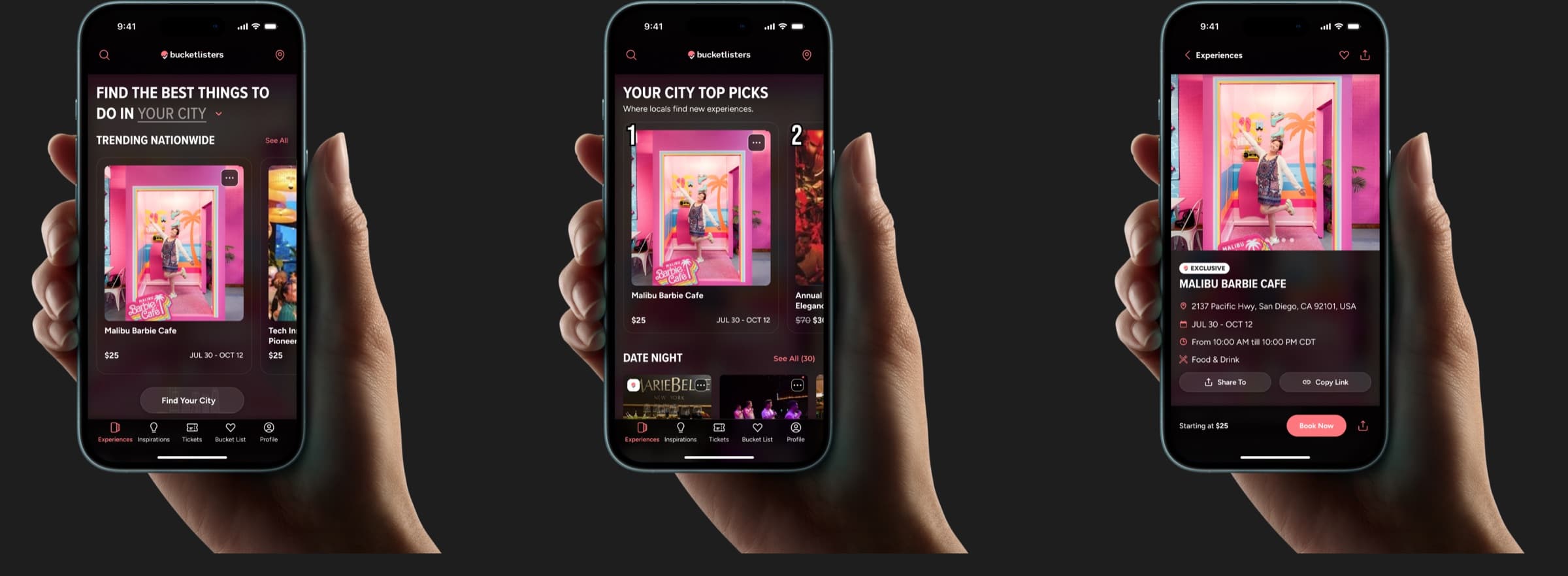
The other half of the brief was the brand. The refresh moved Bucket Listers to a darker, image-led look that lets event photography carry the experience, so the product feels as premium as what it sells.
The design system
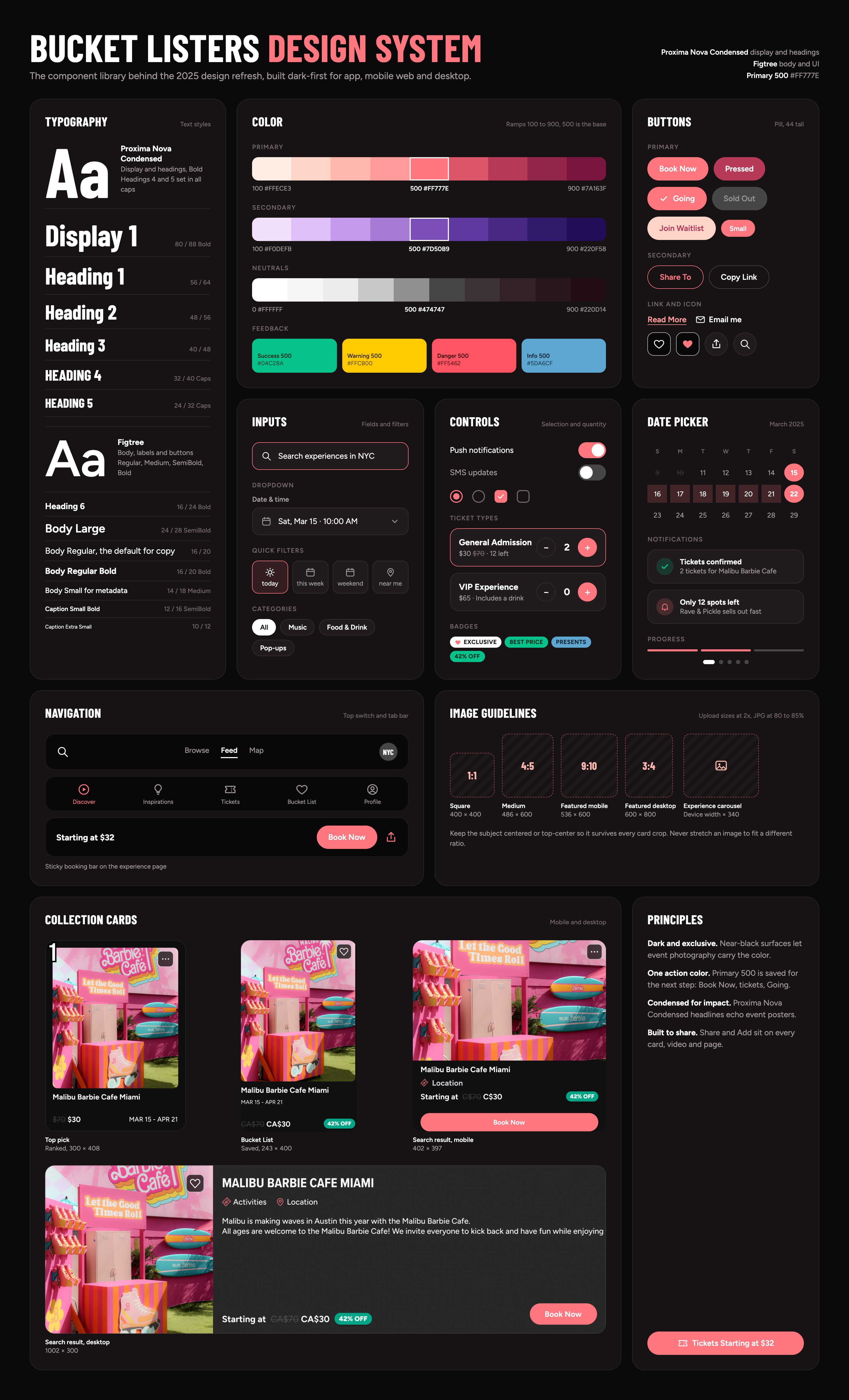
The refresh was built on a new component library, and it is what gives the product its look. The surfaces are dark so event photography carries the color, coral Primary 500 is kept for the next step, and condensed headlines read like event posters. The same type scale, color ramps, controls and collection cards are used across the app, mobile web and desktop.
Before and after
Pick a screen to compare the original design with the new design language. Each screen scrolls inside its frame so you can see the whole page.
A darker, photo-led home with trending experiences up front and clearer paths into each city.


Sharing at every step
Most people find experiences through friends, so the refresh put a share option wherever someone might want one, from browsing all the way through checkout.
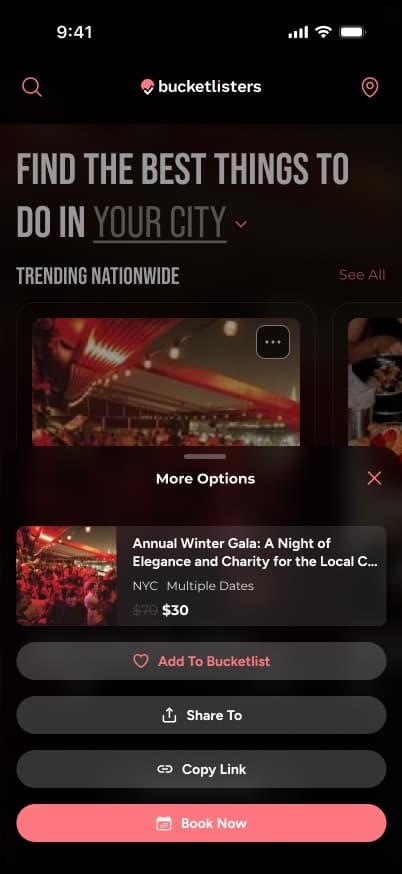
Collections. Every card's More Options sheet includes Share To and Copy Link.
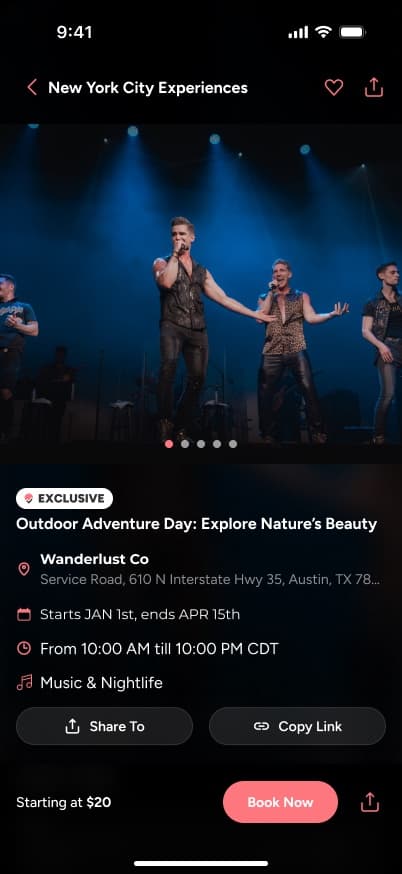
Experience page. Three places to share: the top nav, on the page and next to Book Now.
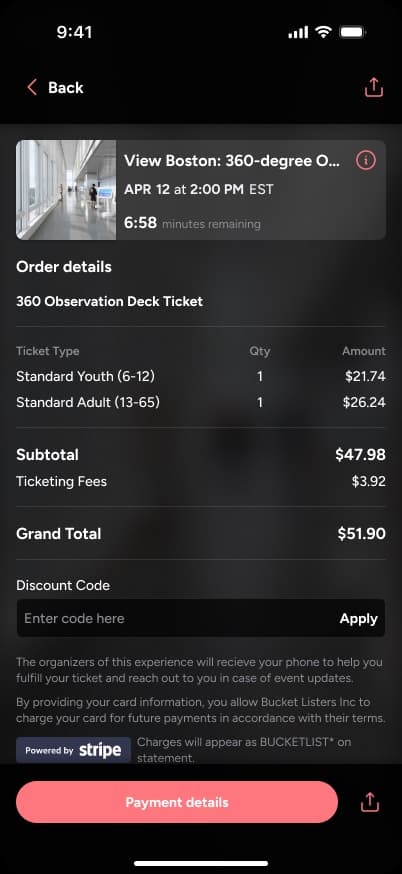
Checkout. Share stays available in the header and next to the main button.
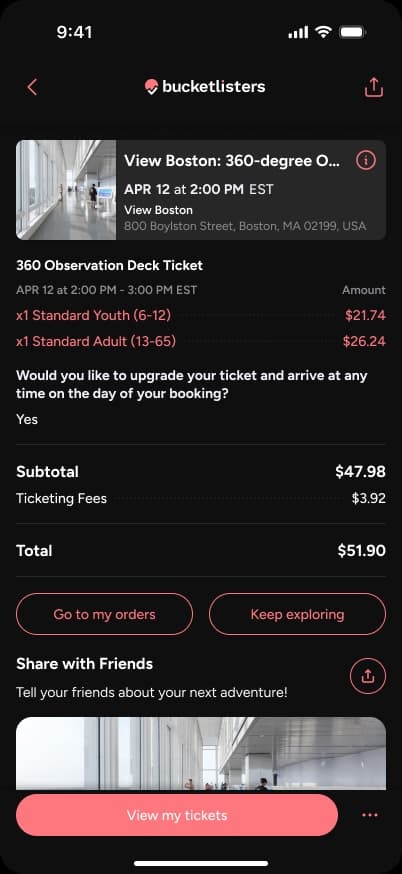
After purchase. The confirmation invites people to tell friends about their next adventure.
More places to share led to a big jump in people sharing experiences. With the refresh live from May 2025, active users grew more than sevenfold that year.
657%more active users in 2025 than in 2024
| Period | Active users | Change |
|---|---|---|
| 2024 | 34,131 | |
| 2025 | 258,516 | up ~657% |
| 2026, to Oct 6 | 319,200 | up ~23% on all of 2025 |
Design Process
My process follows the same loop as my other projects, with one step added. Flat designs and click-through prototypes can't show how an interaction really feels: a map that pans and filters, a bottom sheet that drags, a dashboard that reflows on every screen size. So after the flat designs, I build working prototypes with AI tools like Figma Make, Claude and Lovable. They let me validate those interactions with real behavior, on real devices, before the team commits engineering time to them.
AI-built design explorations
Alongside the shipped work, I use AI to build working prototypes in Figma Make. It lets me test ideas with real interactions, on real screen sizes, before the team commits to building them. Switch between detailed, grid and list views, and open any of them in Figma Make in a new tab.
8 explorations
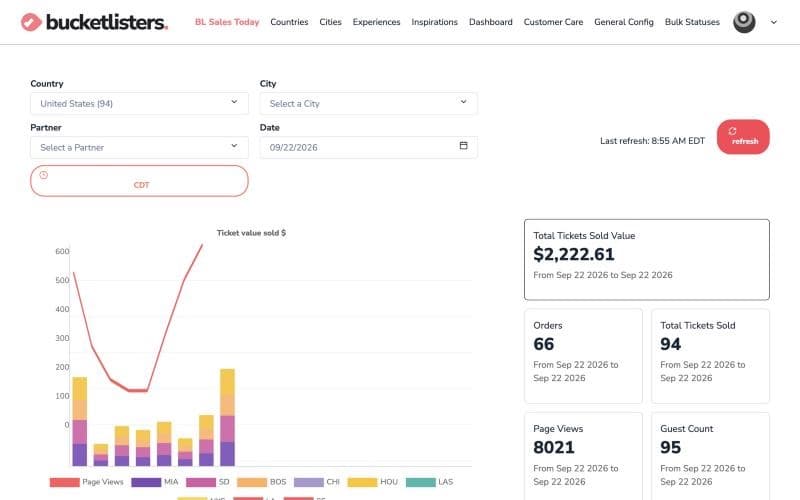
BLT Responsive Exploration
Internal CRM, rebuilt to work on every screen size
- Best viewed on
- Desktop
- Tablet
- Phone
- Orientation
- Any, resize to compare
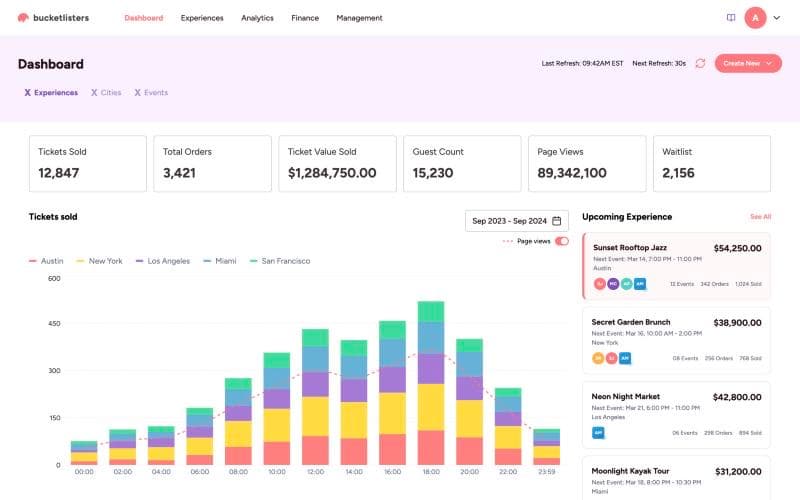
Partner Insight Dashboard
Sales and analytics, opened up to external partners
- Best viewed on
- Desktop
- Tablet
- Orientation
- Landscape
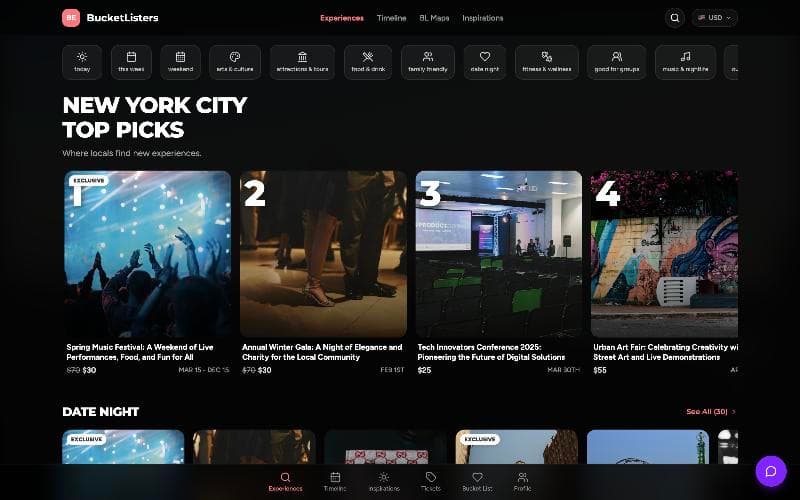
Bucket Listers Web Exploration
A playground for stress-testing new collection page features
- Best viewed on
- Phone
- Desktop
- Orientation
- Portrait on phone, landscape on desktop
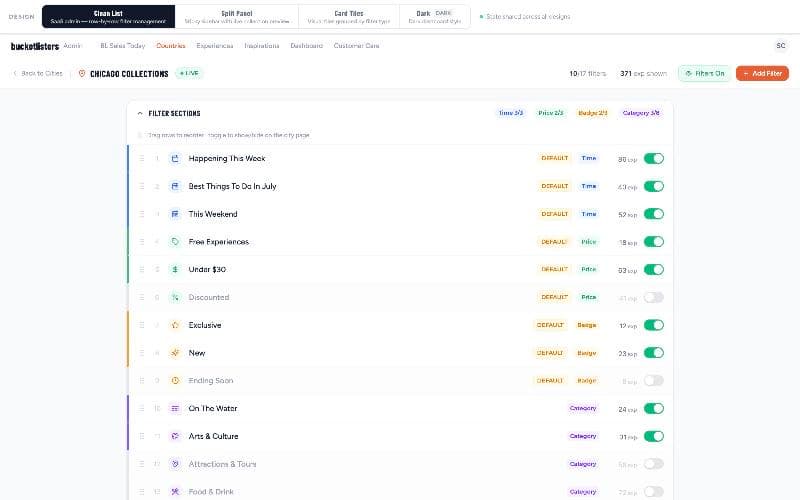
City Collections Filter Management
Admin controls for the filters on city collection pages
- Best viewed on
- Desktop
- Orientation
- Landscape
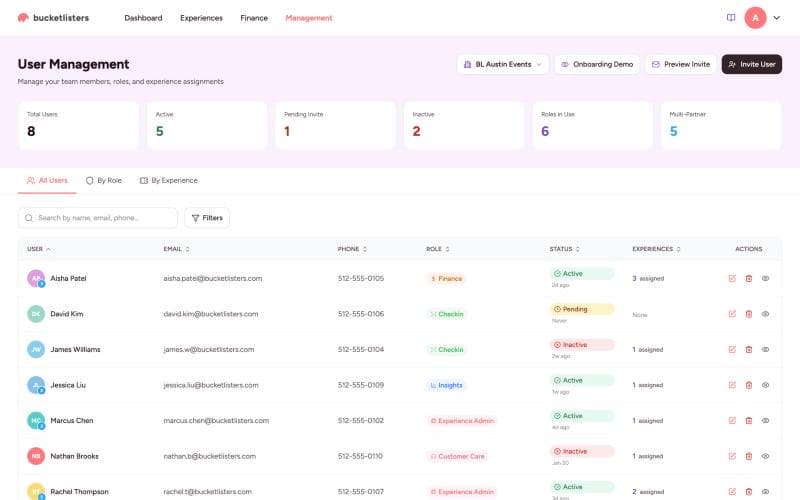
BLT User Management
Inviting partner teams into an internal tool
- Best viewed on
- Desktop
- Orientation
- Landscape
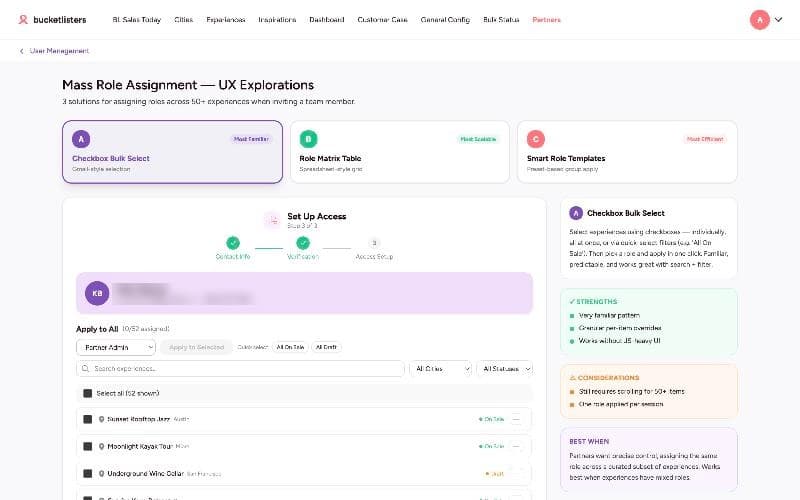
Mass Apply Roles
Assigning many users to many roles and experiences
- Best viewed on
- Desktop
- Orientation
- Landscape
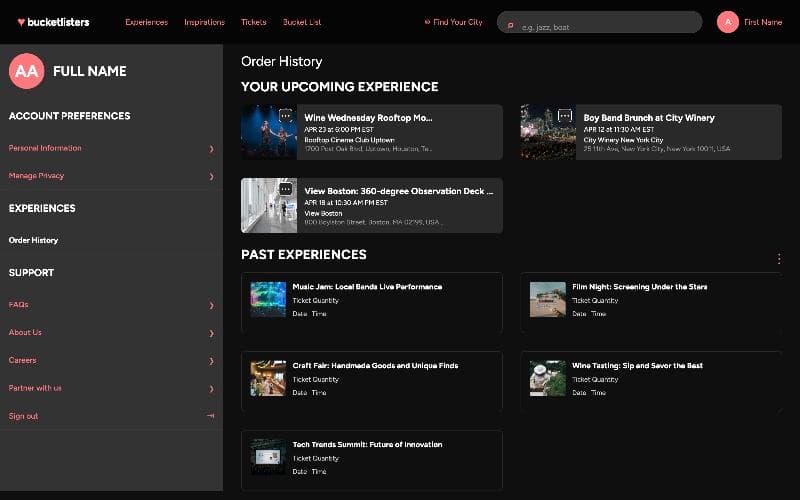
Customer Refund Self Service
Making refunds easy to find, so customers don't dispute charges
- Best viewed on
- Desktop
- Phone
- Orientation
- Landscape on desktop
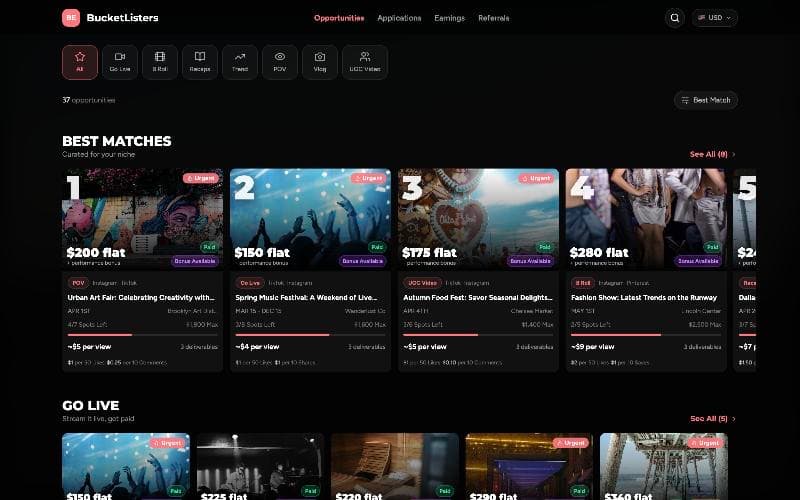
Creator Discovery Exploration
Helping content creators find experiences to cover
- Best viewed on
- Phone
- Desktop
- Orientation
- Portrait on phone
Ongoing work
This covers work that is close to launch or still being explored: map search, a new onboarding flow and the creator program.
Map search
A new way to discover things to do: a map that shows what's happening nearby, so people can find experiences by place instead of scrolling a list. Try the flow below, and switch between desktop and mobile to see how the interactions change on a smaller screen.
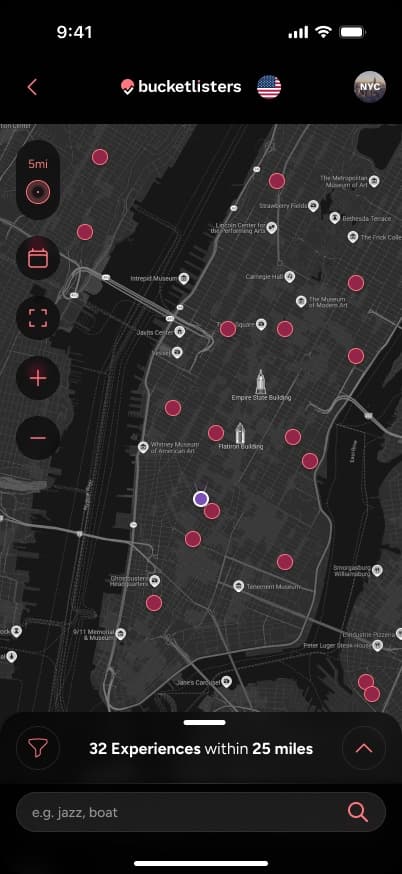
Browse the map. On a phone the map takes the whole screen. A bottom bar shows how many experiences are in range, with search below it.
Tap the highlighted spots on the screen to move through the flow.
Onboarding
A richer first run for new members. The goal is to make joining feel like the start of an adventure, while gathering what the team needs to personalize the experience: location, interests, favorite genres and how people want to hear from us. Tap through the flow below, and switch to desktop to see the web version.

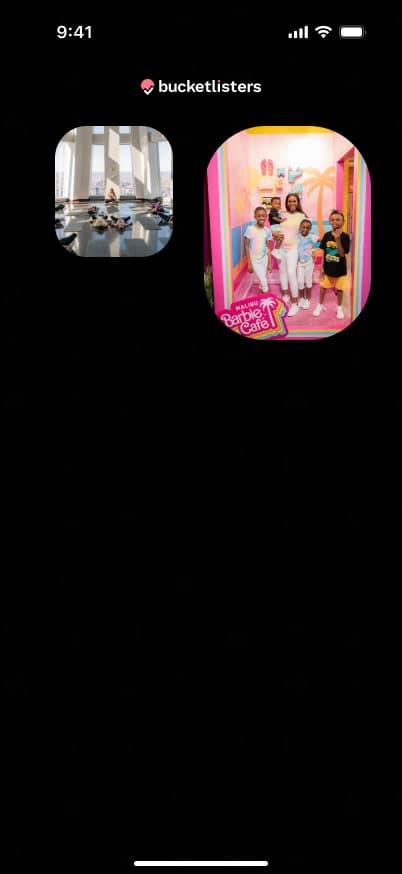
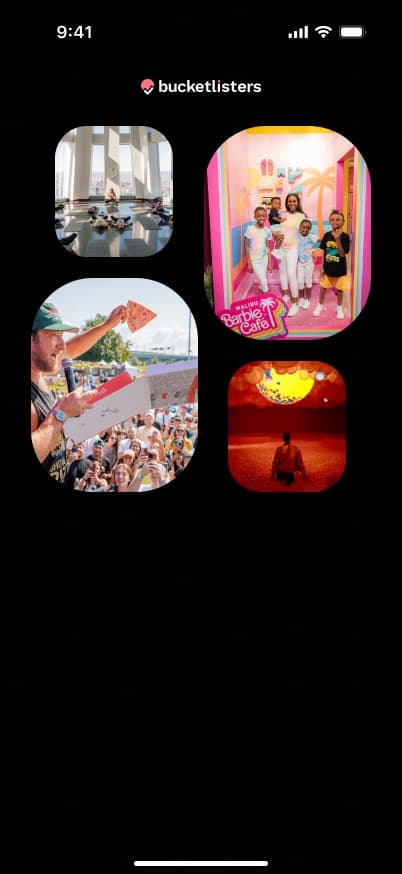
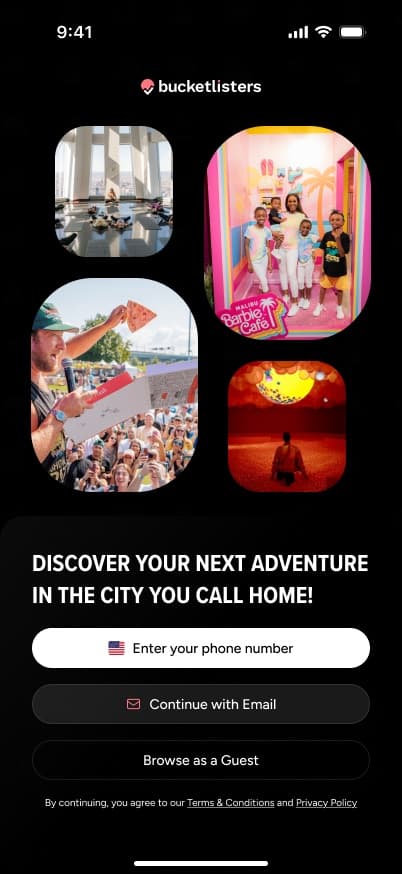
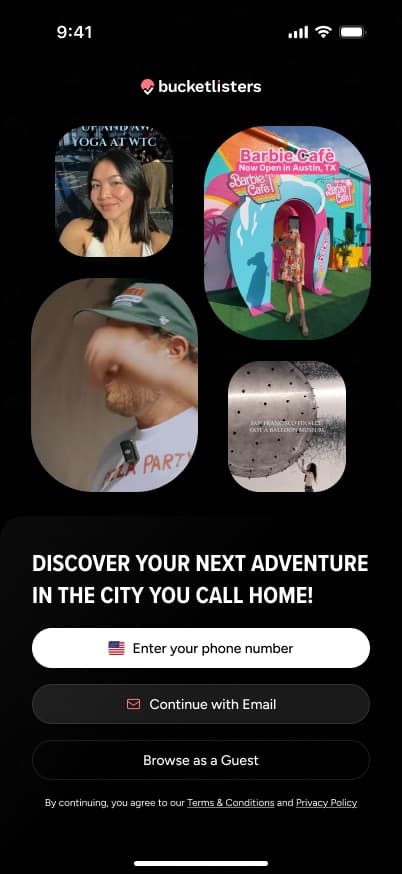
Welcome. The app opens with a short reel of real experiences in the user's city, so the first thing they see is why they'd want to join. They can sign up by phone, use email or browse as a guest.
Tap the highlighted spots on the screen to move through the flow.
Creator program
A program that connects experience partners with content creators. Partners set up a campaign, creators apply or are invited to attend and cover the experience, and the best content gets posted to the Bucket Listers feed. Below is the partner side first, then the creator side.
Partner UX
It starts with a partner in the Bucket Listers internal app, creating a campaign for content creators to apply to, or be invited to, attend an experience and make content for it. Once it's live, the partner manages the campaign, reviews what creators submit and posts the best of it to the feed. Tap through the partner side below.
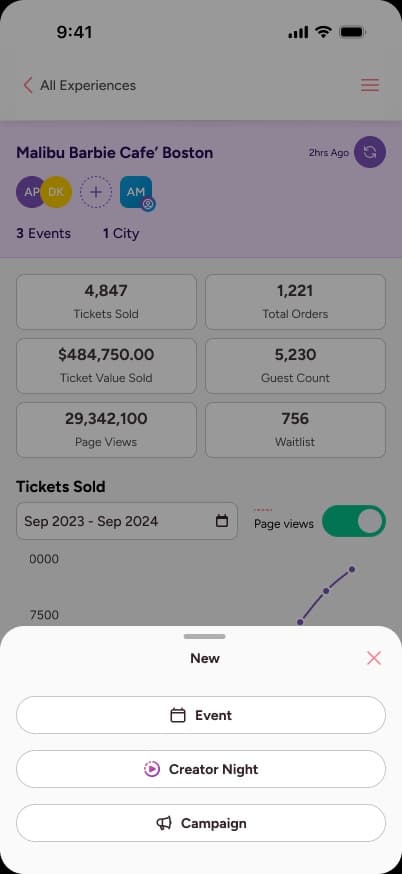
Start something new. From their experience insights, the partner taps New and chooses to create a Creator Night or a campaign.
Tap the highlighted spots on the screen to move through the flow.
Creator UX
This is the creator's side: a discovery experience where creators find the campaigns they've been invited to, or can apply to cover. The design builds on the existing Bucket Listers design system, so it has the same look and feel as the consumer app. Here the creator accepts an invitation, attends the experience and captures content, uploads it for approval, and once it's approved, sees the results and how much they're earning from viewership and fixed payouts.
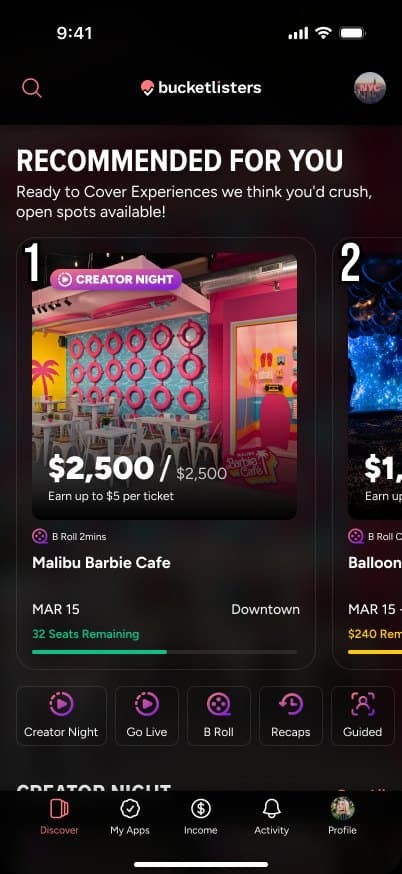
Invited. Campaigns recommended for the creator, with the payout, date and spots left up front.
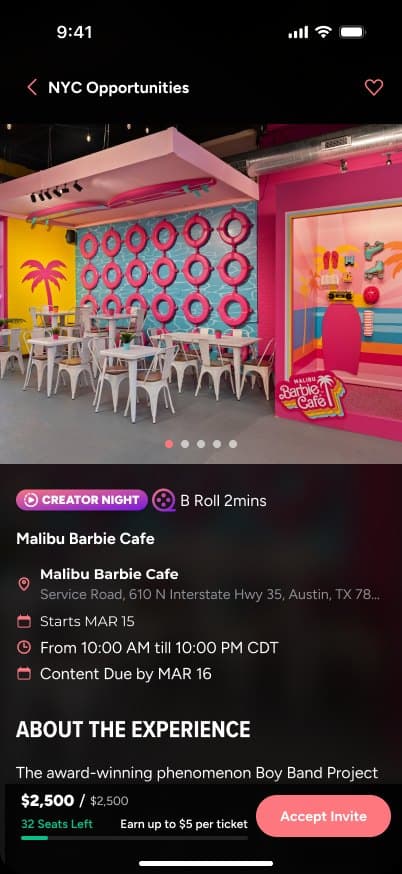
Accept. The experience, the content due date and the payout, then one tap to accept the invite.

Upload content. After attending, the creator uploads videos and images against the requirements and tracks each one's approval.

See the results. Earnings from fixed payouts and views, referral link performance, and how each piece of content is doing.
The Bucket Listers feed
This is where the creator program pays off for consumers. The content creators make and partners approve lands in a feed of short-form videos about experiences people can actually attend. It starts on the normal discovery page, where a video plays on the collection card. The nav at the top takes people into the feed, a full-screen format of the content creators have curated, where they swipe up to watch the next video. From there they can jump to an experience, like the Barbie Café, whose media gallery holds more of the creators' content and plays it full screen. Tap through the flow below, or swipe up on the feed screens.
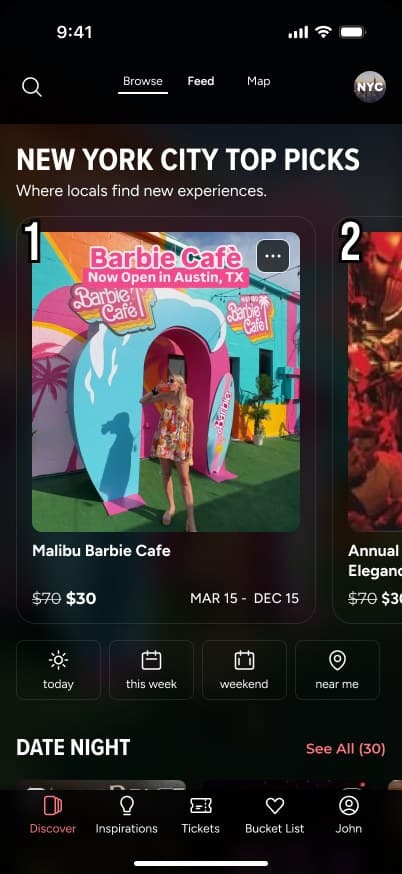
Discover. The normal discovery page. The top pick's collection card plays the creator's video right in the list, and a Browse, Feed and Map switch sits at the top of the screen.
Tap the highlighted spots on the screen to move through the flow.
Outcomes
- The share of users who purchased rose from 3.07% in 2024 to 4.01% in 2025 (up 30.6%) after ticket selection moved to the experience page. 2026 is at 3.45% year to date as of Oct 7, before Q4, and still ahead of 2024.
- People who use filters purchase at over 4%.
- Active users grew from 34,131 in 2024 to 258,516 in 2025 (up ~657%), and reached 319,200 by Oct 6, 2026, after share points were added across the purchase funnel.
- GMV grew from $8M in 2025 to $14M in the first three quarters of 2026, with $20M projected for the year.